
Download BriefAI – AI text summarizer, free, secure, fast summarization tool
Overview
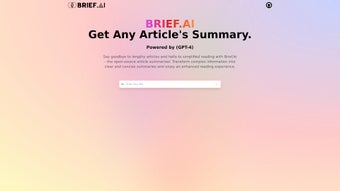
BriefAI is an innovative AI‑powered text summarizer that turns long‑form articles, research papers, and dense documents into crisp, easy‑to‑read summaries. Built on the robust GPT‑4 architecture and released as an open‑source project, BriefAI leverages cutting‑edge machine‑learning techniques to capture the core ideas, essential facts, and underlying context of any piece of writing. Whether you’re a student juggling multiple readings, a professional who must stay on top of industry reports, or a content creator curating information for an audience, BriefAI saves you valuable time while preserving meaning. The tool adapts to various genres—academic, news, technical manuals, or creative prose—and works across multiple languages, making it a truly versatile companion for knowledge‑workers. While BriefAI excels at delivering quick, accurate overviews, it is intended to complement, not replace, deep reading. Use it as a first‑pass filter to decide what deserves a full‑read, and you’ll find research, content curation, and daily information overload far more manageable.
Key Features
- GPT‑4 Powered Summarization: Utilizes the latest large‑language model to understand nuance, maintain semantic integrity, and produce human‑like summaries.
- Length‑Adjustable Output: Choose summary length (short, medium, long) to fit your workflow—whether you need a tweet‑size gist or a detailed abstract.
- Multi‑Language Support: Handles English, Spanish, French, German, and many other languages, automatically detecting the source language.
- Open‑Source Transparency: Fully accessible source code on GitHub, enabling community contributions, custom extensions, and security audits.
- Cross‑Platform Compatibility: Available as a desktop app (Windows, macOS, Linux) and as a web‑based service for Android and iOS browsers.
- Secure Data Handling: No data is stored on external servers; all processing occurs locally or within encrypted sessions.
- Batch Processing: Upload multiple documents (PDF, DOCX, TXT) and receive a consolidated summary report.
- Integration Ready: Simple API endpoints allow developers to embed BriefAI summarization into existing tools or workflows.
Installation, Usage & Compatibility
Getting BriefAI up and running is straightforward, whether you prefer a graphical interface or a command‑line experience. Follow these steps to install the tool on your preferred operating system.
Windows Installation
- Visit the official BriefAI download page and click the Download for Windows button (a .exe installer).
- Run the installer and follow the on‑screen prompts. The installer automatically adds BriefAI to your system PATH, allowing you to launch it from the Start menu or command prompt.
- During installation, you’ll be prompted to install the required Python runtime (3.10+) and the necessary GPT‑4 model files. The installer handles these dependencies securely.
- After installation, open BriefAI, paste or upload the document you wish to summarize, select your desired summary length, and click Summarize. The result appears in a clean, scrollable window, ready for copy‑paste.
macOS & Linux Installation
- Download the appropriate tar.gz archive from the BriefAI website.
- Extract the archive using
tar -xzvf briefai‑mac.tar.gz(or the Linux equivalent). - Navigate to the extracted folder and run
./install.sh. The script checks for Python 3.10+ and installs missing dependencies viapip. - Launch BriefAI from the terminal with
briefaior create a desktop shortcut using the provided helper script.
Mobile & Web Usage
For Android and iOS users, BriefAI offers a responsive web portal. No download is required—simply open your device’s browser, navigate to briefai.io, and sign in with your GitHub account. Upload files directly from your phone’s storage or cloud services (Google Drive, Dropbox). The summarization runs in a secure, encrypted session, and results are displayed instantly on the screen.
Supported Operating Systems: Windows 10/11, macOS 12+, Ubuntu 20.04+, Fedora 33+, Android 8+, iOS 13+. The application also works on any system with a modern web browser (Chrome, Edge, Firefox, Safari).
Overall, BriefAI’s installation process is designed for both tech‑savvy users and beginners. The clear documentation, auto‑update feature, and minimal system requirements ensure a hassle‑free experience across platforms.
Pros & Cons
Pros
- Highly accurate summaries thanks to GPT‑4.
- Free and open‑source, with no hidden subscription fees.
- Works offline, keeping your data private.
- Flexible output length and multi‑language support.
- Batch processing saves time for large projects.
- API access enables integration into existing workflows.
Cons
- Initial model download can be several gigabytes, requiring a stable internet connection.
- Very large PDFs may need pre‑processing to extract clean text.
- Advanced customizations (e.g., tone control) are limited in the free version.
- Local installation on older hardware may be slower due to model size.
Frequently Asked Questions
Is BriefAI really free?
Yes. BriefAI is released under the MIT license, which means you can download, use, and even modify the software without paying any fees. There is no hidden subscription, and all core features remain free.
Can BriefAI summarize documents in languages other than English?
Absolutely. BriefAI automatically detects the source language and supports over 20 major languages, including Spanish, French, German, Chinese, and Japanese. The quality is comparable across supported languages thanks to GPT‑4’s multilingual training.
Do I need an internet connection to use BriefAI?
Once the GPT‑4 model files are downloaded, BriefAI can run entirely offline on your machine. The initial download requires an internet connection, but subsequent summarizations are processed locally, ensuring privacy and speed.
How does BriefAI handle sensitive or confidential documents?
Because the summarization engine runs locally (or within an encrypted web session), no data is transmitted to third‑party servers. This design makes BriefAI suitable for corporate, legal, or academic documents that require strict confidentiality.
Is there a way to integrate BriefAI into my existing workflow?
Yes. BriefAI provides a RESTful API with simple authentication. You can call the /summarize endpoint from scripts, content‑management systems, or custom applications. Detailed API documentation is included in the GitHub repository.
Conclusion & Call to Action
BriefAI delivers on its promise of fast, accurate, and secure summarization. By combining GPT‑4’s deep language understanding with an open‑source, privacy‑first approach, it fills a noticeable gap in the productivity‑tool market. Users can instantly condense lengthy readings, prioritize what deserves a full review, and keep knowledge pipelines flowing without sacrificing data security. While the initial model download and occasional preprocessing steps may require a bit of patience, the long‑term time savings are undeniable. Whether you’re a student drafting literature reviews, a marketer curating news briefs, or a developer looking to embed summarization into an app, BriefAI provides a solid foundation that can be extended as your needs evolve.
Ready to transform the way you read? Download BriefAI now and start summarizing with confidence. The free, open‑source nature ensures you’ll always have a tool that grows with you—no hidden fees, no data mining, just pure AI‑driven efficiency.



.png)



